
AzureBet App Download for Android, iOS and Windows
The Azure Bet app is available for iOS, Android and Windows — download it directly from the site, no App Store or Google Play required. The Android APK installs in under a minute. After install, you get full access to all 10 game categories, bKash and Nagad cashier, welcome bonus of 125% up to 30,000 BDT plus 250 Free Spins, Azure Battles tournaments and VIP club. Login with your existing account or register directly in the app — same process as desktop.
| Feature | Details |
|---|---|
| APK File Size | 75 MB |
| iOS File Size | 80 MB |
| Compatible OS | Android 5.0+, iOS 11.0+, Windows |
| Interface Languages | English, Bengali, Hindi, Turkish, Azerbaijani |
| Download Method | Direct from the official site |
| Security | 256-bit SSL encryption |
| Game Categories | Slots, Casino, Crash, Instant, Table, Scratch, V-Sports, In-house |
| Providers | 80+ including Evolution, Pragmatic Play, Spribe |
| Welcome Bonus | 125% up to 30,000 BDT + 250 Free Spins |
| Payment Methods | bKash, Nagad, Bitcoin, Ethereum, USDT, Litecoin, Dogecoin, Tron |
| Currency | BDT |
| Tournaments | Azure Battles — $100,000+ monthly prize pool |
| Customer Support | 24/7 live chat and email |
AzureBet App Bonuses for Bangladesh Players
Every bonus available on desktop works identically in the app — nothing is cut for mobile users. Open the Bonus Cabinet from the top menu to see what’s active on your account.
Welcome Bonus
New players on AzureBet app get the same welcome offer as desktop: 125% on your first deposit up to 30,000 BDT or 250 Free Spins on 2021 Hit Slots by Endorphina. Choose your bonus at the cashier step before confirming the deposit. Wager is x45 in slots only, completed within 7 days. The bonus credits automatically — no code needed.
Free Spins
250 Free Spins activate automatically after signup. Go to the Bonus Cabinet, hit “Play” and the spins launch on 2021 Hit Slots. You have 1 day to use them once activated. Winnings from free spins carry the same x45 wager, completed in 7 days. The AzureBet APK displays your remaining spins and wagering progress in real time inside the Bonus Cabinet.
VIP and Ongoing Bonuses
The AzureBet app download gives you full access to the VIP programme. Rakeback runs every 20 minutes, weekly and monthly bonuses are based on your activity, and reload bonuses are available three times a day. Azure Bet APK download also unlocks Azure Battles — $100,000+ in monthly prizes across internal and provider tournaments.
| Bonus Type | Details | Wager | Time Limit |
|---|---|---|---|
| Welcome Deposit | 125% up to 30,000 BDT | x45 slots | 7 days |
| Free Spins | 250 FS on 2021 Hit Slots | x45 slots | 1 day to use, 7 days to wager |
| Rakeback | Every 20 minutes | None | VIP only |
| Weekly Bonus | Based on activity | None | VIP only |
| Reload Bonus | 3 times per day | None | VIP only |
How to Download AzureBet App Download APK for Android and iOS
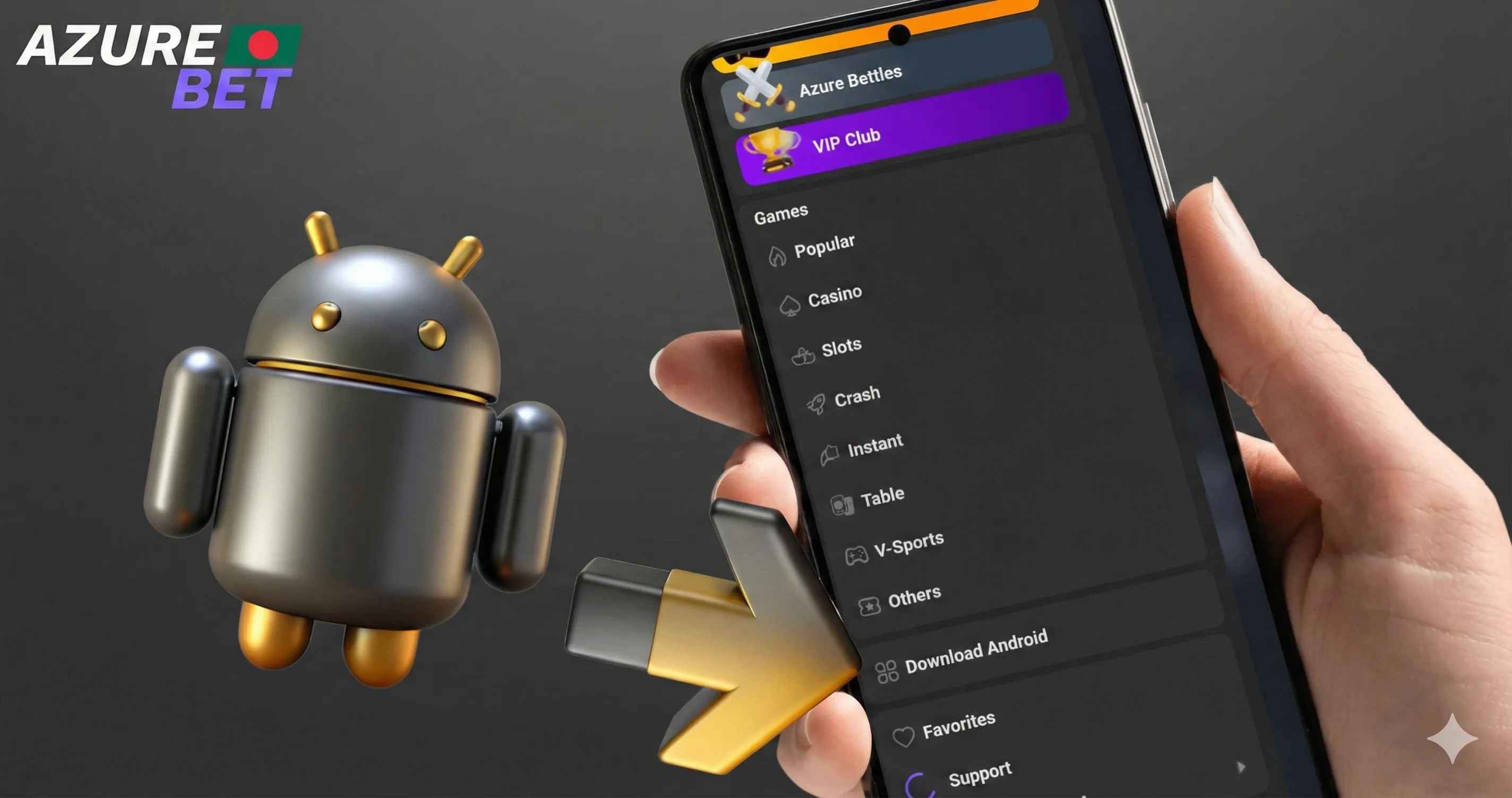
No App Store or Google Play needed. The app downloads directly from our site in one tap. Minimum requirements: Android 5.0+ or iOS 11.0+, 75 MB free space for Android, 80 MB for iOS.
Download on Android
- Open the main menu on the site and find the “Azurebet APP” section
- Tap the Android icon to start the AzureBet APK download
- Once downloaded, open your device Settings and go to Security
- Enable “Install from unknown sources” for your browser
- Open the downloaded APK file and tap “Install”
- Launch the app, log in with your existing account or register
The full installation takes under a minute on a standard mobile connection. If your browser asks for permission to download the file, tap “Allow” and the download resumes immediately.
Download on iOS
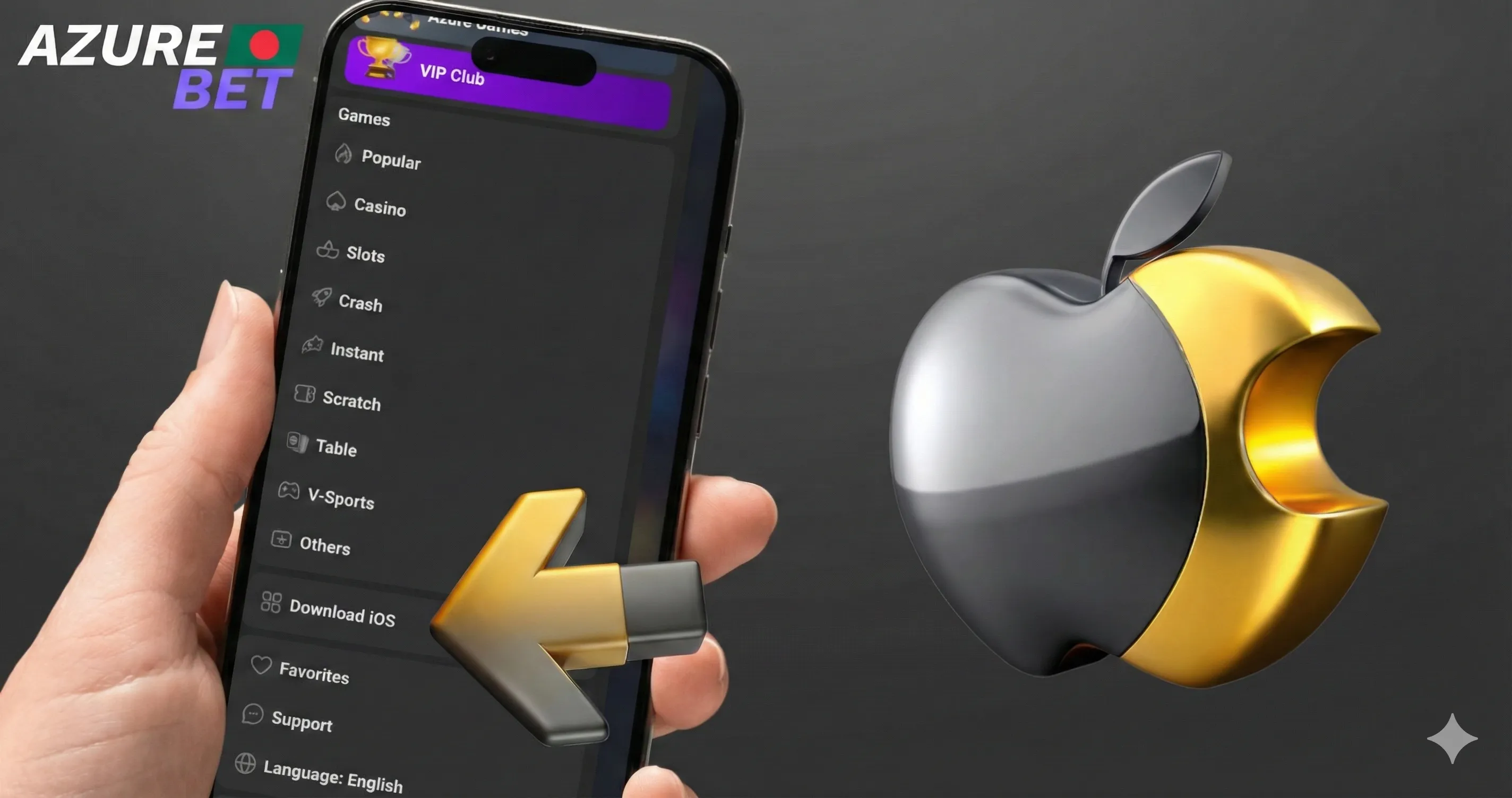
- Open the main menu on the site and find the “Azurebet APP” section
- Tap the iOS icon — the app installs directly without the App Store
- Go to Settings — General — VPN & Device Management
- Find the AzureBet app profile and tap “Trust”
- Open the app and log in or register
Download on Windows
- Open the main menu and tap the Windows icon
- Download and run the installer
- Follow the on-screen steps — installation completes in under two minutes
AzureBet app is free to download on all three platforms. After first launch, bKash and Nagad are available in the cashier immediately. The welcome bonus — 125% up to 30,000 BDT or 250 Free Spins — is claimable on your first deposit directly inside the Azure Bet app.
AzureBet APK Payment Methods
The cashier inside the app works identically to desktop — same methods, same limits, same processing times. All transactions run in BDT with 256-bit SSL encryption on every operation.
bKash — minimum deposit 400 BDT, maximum 20,000 BDT per transaction. Instant credit. Tap “Deposit” in the app, select bKash, enter your registered mobile number and confirm in the bKash app. Available for both deposits and withdrawals.
Nagad — minimum deposit 400 BDT, maximum 100,000 BDT per transaction. Also instant. Same flow as bKash — select Nagad in the cashier, enter your number and confirm in the Nagad app.
Cryptocurrency — Bitcoin, Ethereum, USDT, Litecoin, Dogecoin and Tron are supported. Fastest withdrawal option on the AzureBet app download — typically processed within a few hours. Minimum crypto withdrawal is 1,500 BDT, maximum 200,000 BDT per transaction.
| Method | Min Deposit | Max Deposit | Min Withdrawal | Max Withdrawal | Speed |
|---|---|---|---|---|---|
| bKash | 400 BDT | 20,000 BDT | 1,000 BDT | 25,000 BDT | Instant |
| Nagad | 400 BDT | 100,000 BDT | 1,000 BDT | 25,000 BDT | Up to 24h |
| Crypto | Varies | No limit | 1,500 BDT | 200,000 BDT | A few hours |
Daily withdrawal limit is 700,000 BDT, monthly limit is 1,400,000 BDT. No withdrawal fees apply if your deposit has been wagered at least 3 times. AzurBet APK download VIP players get priority withdrawal processing across all methods — payouts clear faster than the standard queue.
FAQs
Does the AzureBet app save my login details between sessions?
Yes. The app keeps you logged in automatically after the first sign-in. You won’t need to re-enter your email and password every time you open it.
Will I lose my bonus progress if I switch from desktop to the Azure Bet app mid-wager?
No. Bonus progress syncs across all devices in real time. Your x45 wager counter updates instantly whether you play on desktop, mobile or the app.
Can I receive my AzureBet APK push notifications for tournament starts and bonus activations?
Yes. Enable notifications during install or go to your device settings after. The app sends alerts for Azure Battles start times, bonus credits and withdrawal confirmations.
What happens if the AzureBet app download gets interrupted halfway?
Delete the partial file and restart the download from the app section in the main menu. Partial APK files won’t install — a clean download is required.
Does the Azure Bet APK download update automatically or do I need to reinstall manually?
Android APK requires manual update — download the new version from the site when available. iOS updates through the standard profile management in your device settings.
Can I play in-house games like Mines or Crash in demo mode on the AzureBet app?
No. In-house titles at AzureBet app download APK for android and iOS require a real money balance. Demo mode is available only on third-party provider slots.